
How Can We Help?
Elementor FAQ
Create a New Page
- On the top left side of the WordPress dashboard, click Pages > Add New
- Click Edit with Elementor to enter Elementor Website Builder
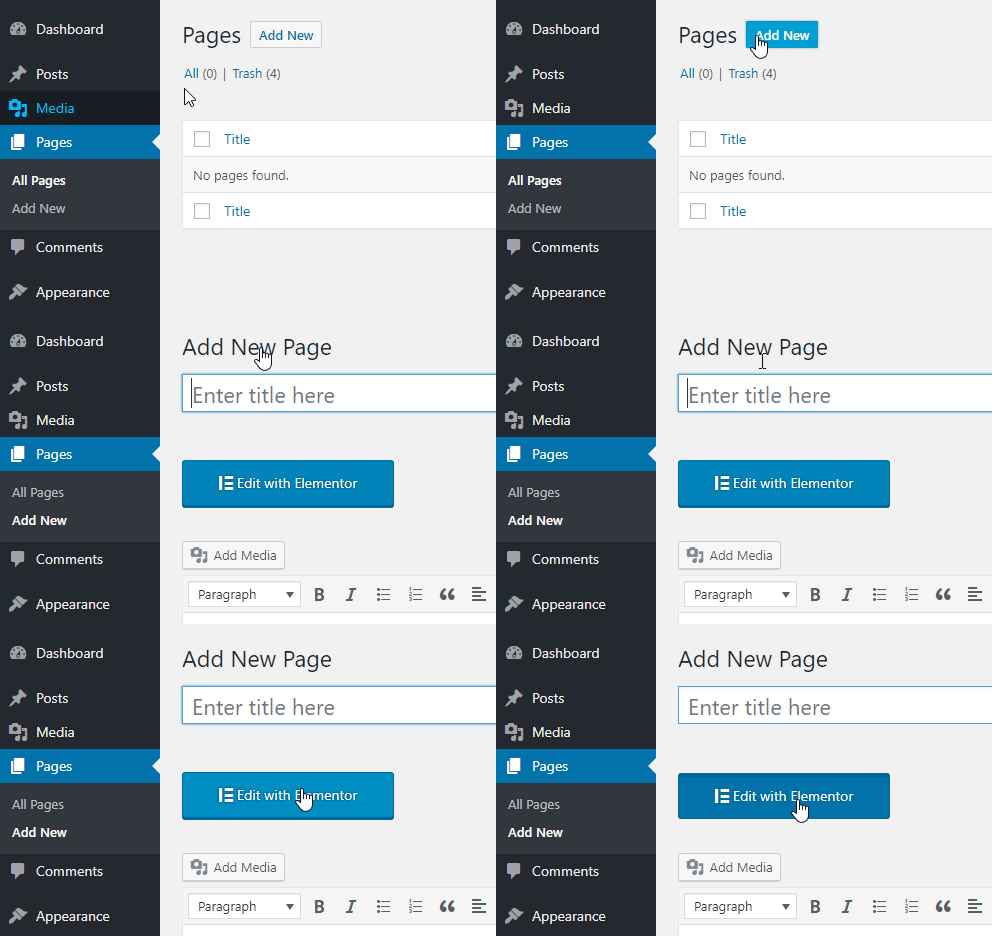
- Click on the ‘Edit with Elementor’ button
Elementor Panels Overview
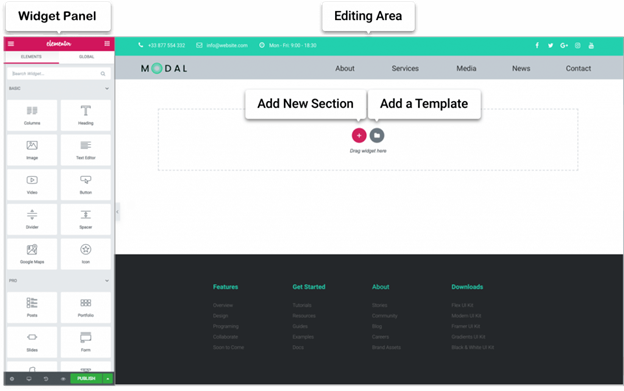
Sections are the largest building blocks, and inside them are groups of Columns. Columns sit inside of Sections and are used to house the Widgets. Widgets are placed inside of Columns.
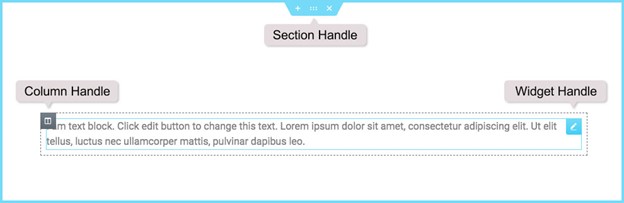
You control the Section, Column, and Widgets with their handle.
Editing
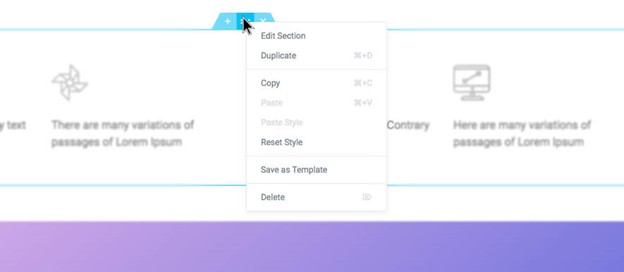
To edit the Section, Column, or Widget, Right Click their handle.
Section
-
- Click the + icon to create a Section, or click the file icon to use a pre-designed Page or Block from our library
- Set your Column structure
- Right click to Edit, Duplicate, Copy, Delete etc.
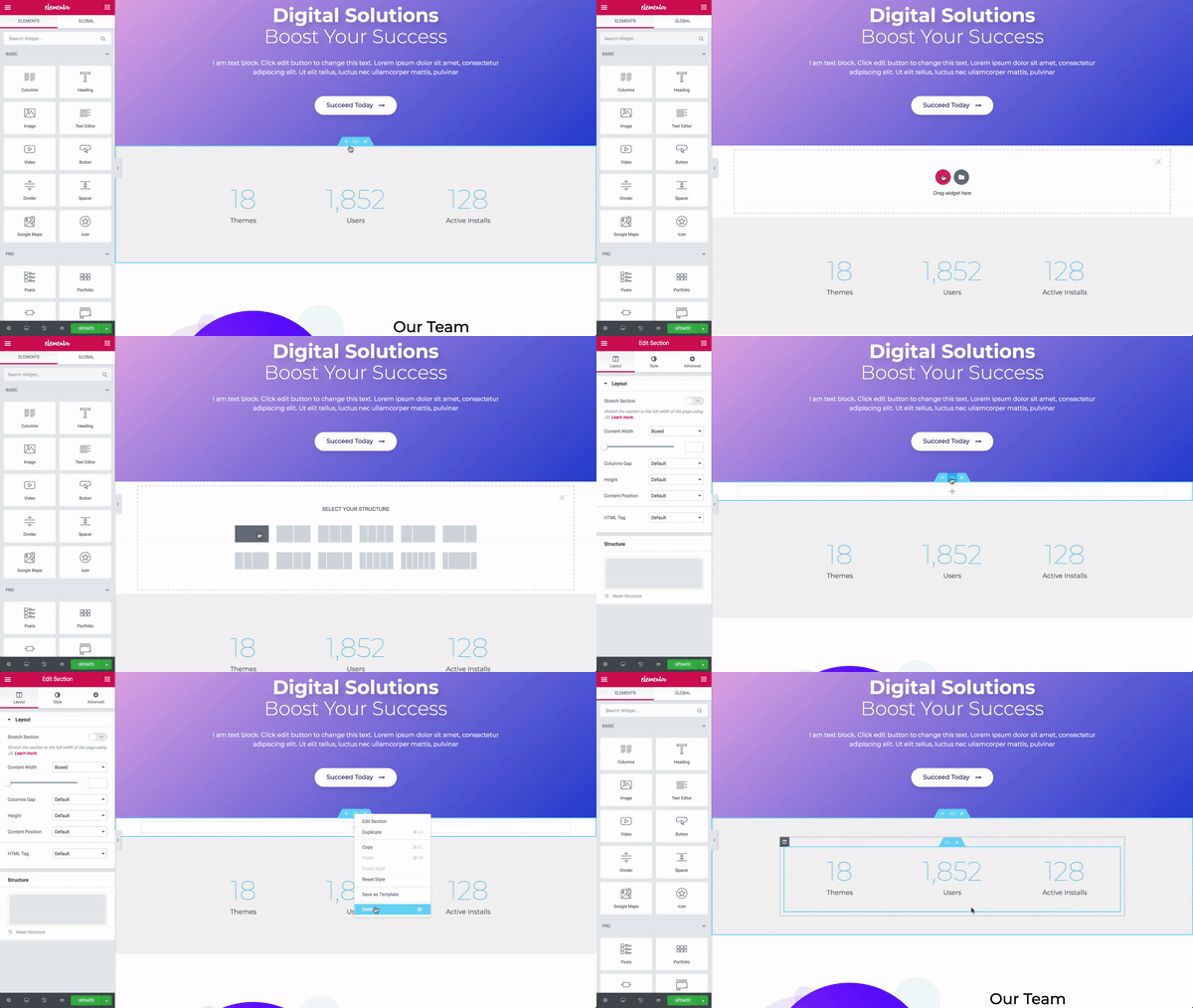
- Use the Section handle to: add a section, drag a section, or delete.
Column
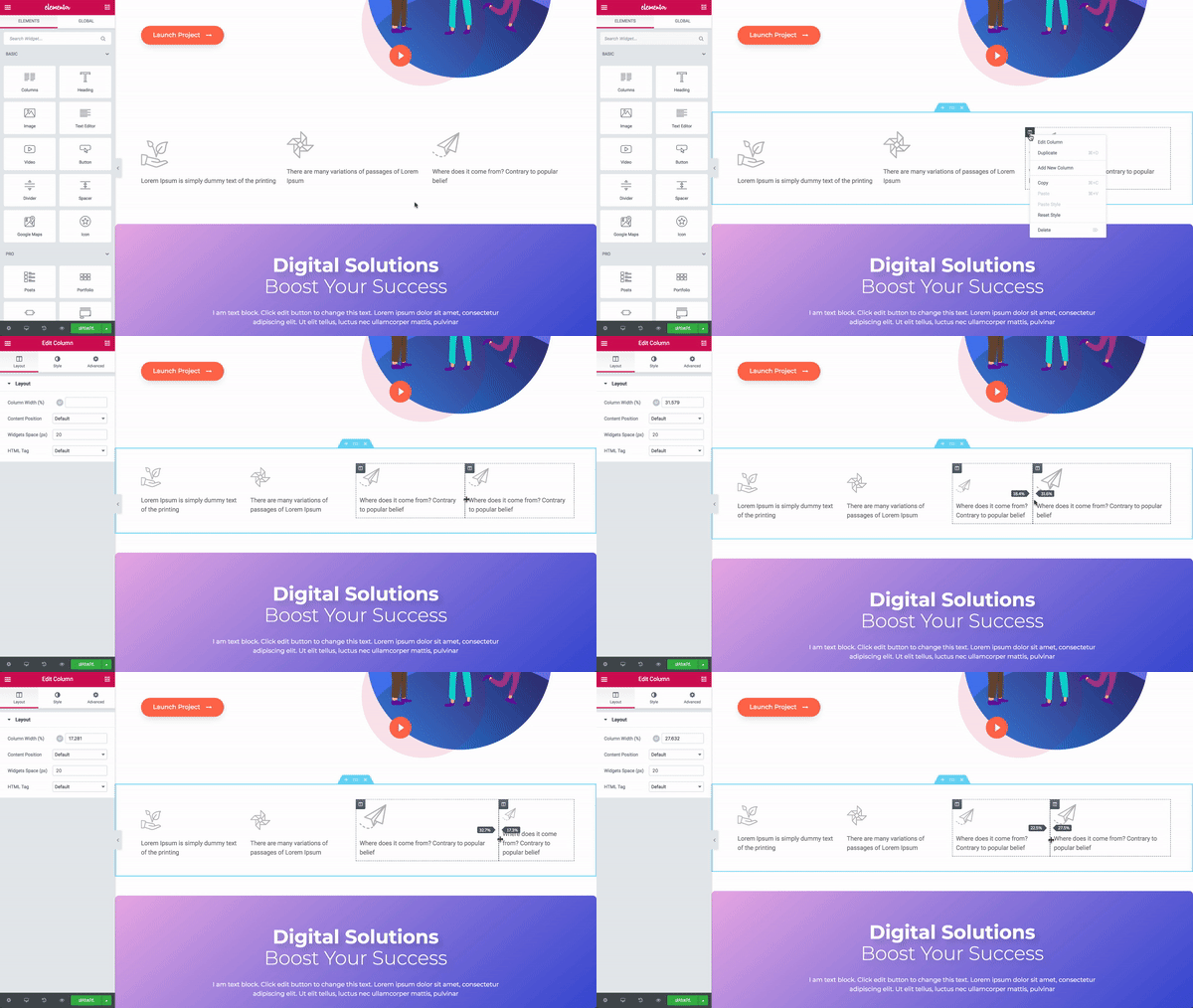
- Set the Columns Width. You can do it under Layout, or drag the dashed line between the Columns.
- To add more Columns Right Click > Add New Column
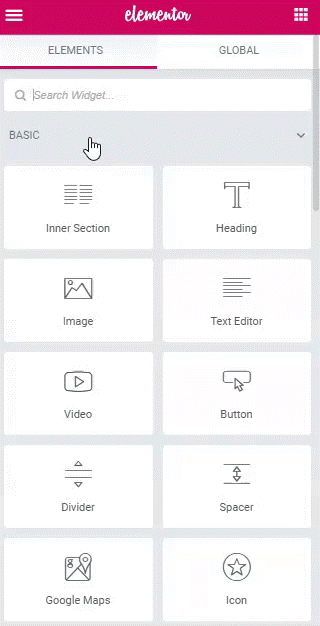
- Insert Widgets to your Columns
Widget
- Insert Widgets inside your Columns
- A Widget width is set by the Column width
