Creating Paypal Account
[vc_row][vc_column][vc_column_text]
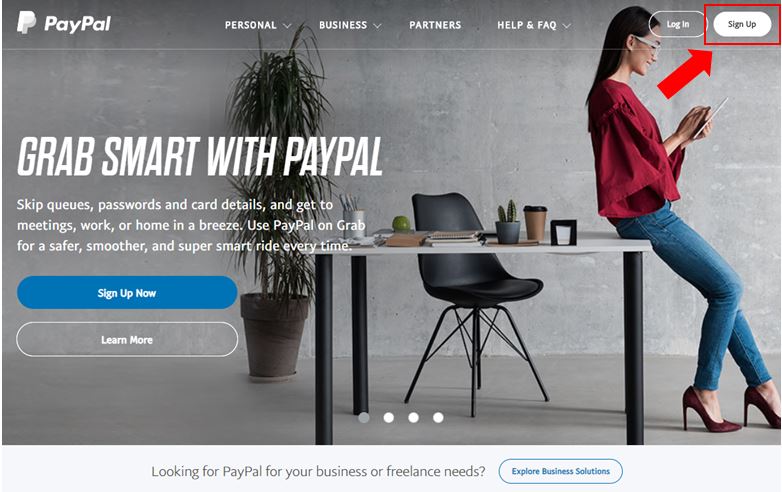
1. Visit the PayPal website www.paypal.com and click on “Sign Up”.
[/vc_column_text][/vc_column][/vc_row][vc_row][vc_column][vc_empty_space height=”10px”][/vc_column][/vc_row][vc_row][vc_column][vc_column_text]
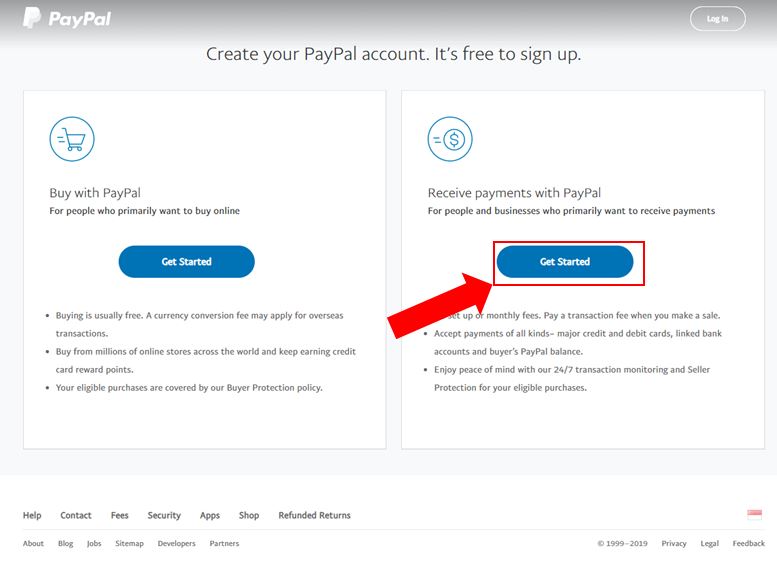
2. Select the business option
[/vc_column_text][/vc_column][/vc_row][vc_row][vc_column][vc_empty_space height=”10px”][/vc_column][/vc_row][vc_row][vc_column][vc_column_text]
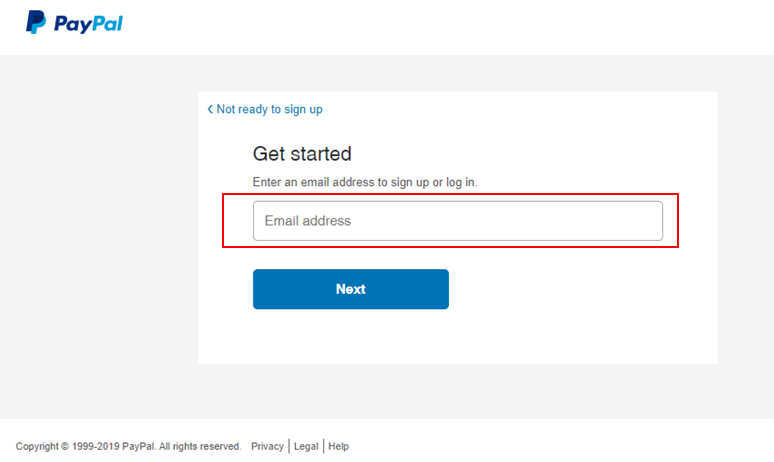
3. Key in your Email Address
[/vc_column_text][/vc_column][/vc_row][vc_row][vc_column][vc_empty_space height=”10px”][/vc_column][/vc_row][vc_row][vc_column][vc_column_text]
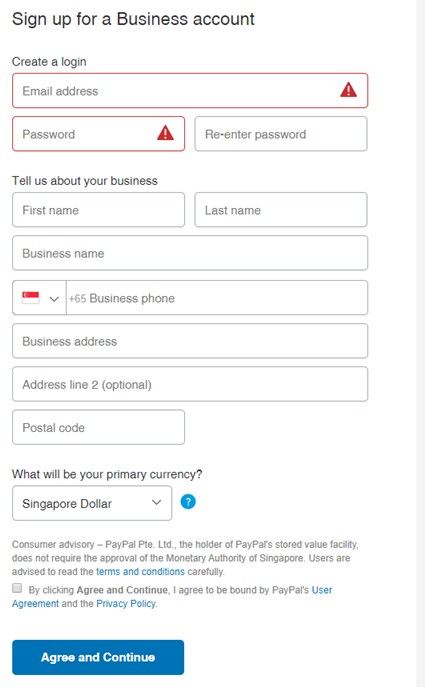
4. Key in the required information
[/vc_column_text][/vc_column][/vc_row][vc_row][vc_column][vc_empty_space height=”10px”][/vc_column][/vc_row][vc_row][vc_column][vc_column_text]
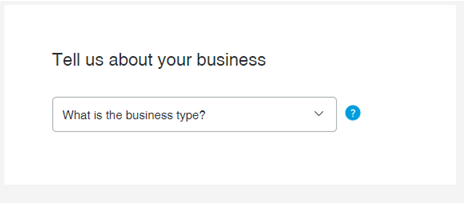
5. Indicate your business type
[/vc_column_text][/vc_column][/vc_row][vc_row][vc_column][vc_empty_space height=”10px”][/vc_column][/vc_row][vc_row][vc_column][vc_column_text]
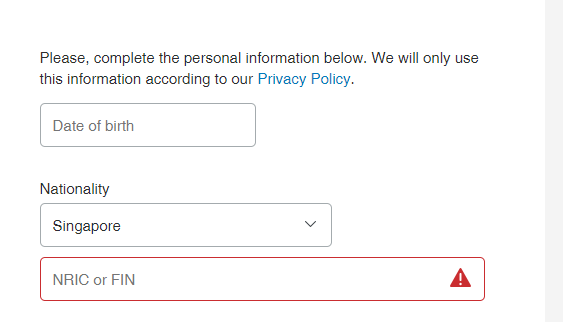
6. Key in the required information
[/vc_column_text][/vc_column][/vc_row][vc_row][vc_column][vc_empty_space height=”10px”][/vc_column][/vc_row][vc_row][vc_column][vc_column_text]
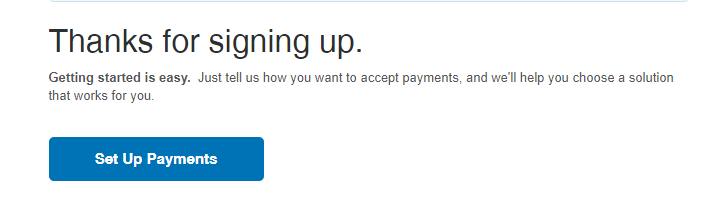
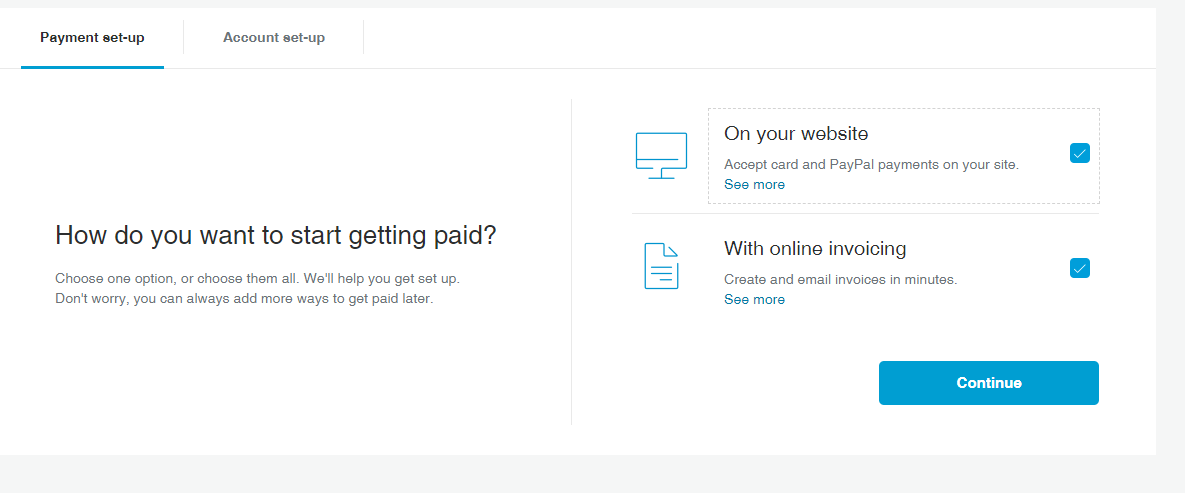
7. Click on “Set Up Paymanets” and follow through the instructions on how to link your card to your PayPal