
How Do I Transfer Files Via WeTransfer?
To transfer files
1. Type this url into your browser: http://www.wetransfer.com/
2. Click on the free version
3. Click on ‘Add your files’ (as seen below)
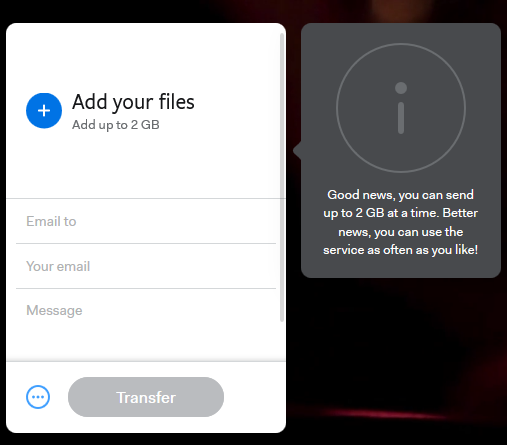
(Note: If your files are more than 2GB, you have to break down your file into several batches)
4. Select all of the files you wish to collate and send over to your receiver
5. Type in your email address and the email you wish to send the file to.
6. Click on ‘transfer’
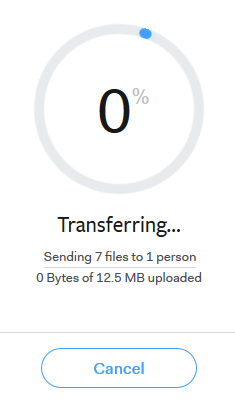
7. Allow your files to be collated. Once the circle has reached 100%, your files will be sent automatically.
(Note: Your transfer is available for 7 days)
To transfer folders
Currently, wetransfer does not allow this feature.
Thus, what you have to do is to create a zip file through your folders and upload it the same way.
On window,
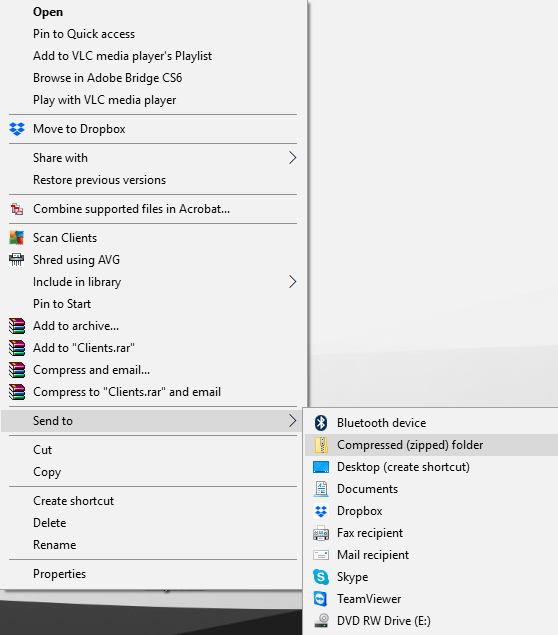
– Right click on the follow you wish to compress
– ‘Send to’
– ‘Compressed (zipped) folder’
– Done
On Mac,
– Right click on the follow you wish to compress
– Choose ‘Compress “ *folder name ”
– Done